Next-gen component stories
for Next.js
Build interactive component documentation without leaving your Next.js app.
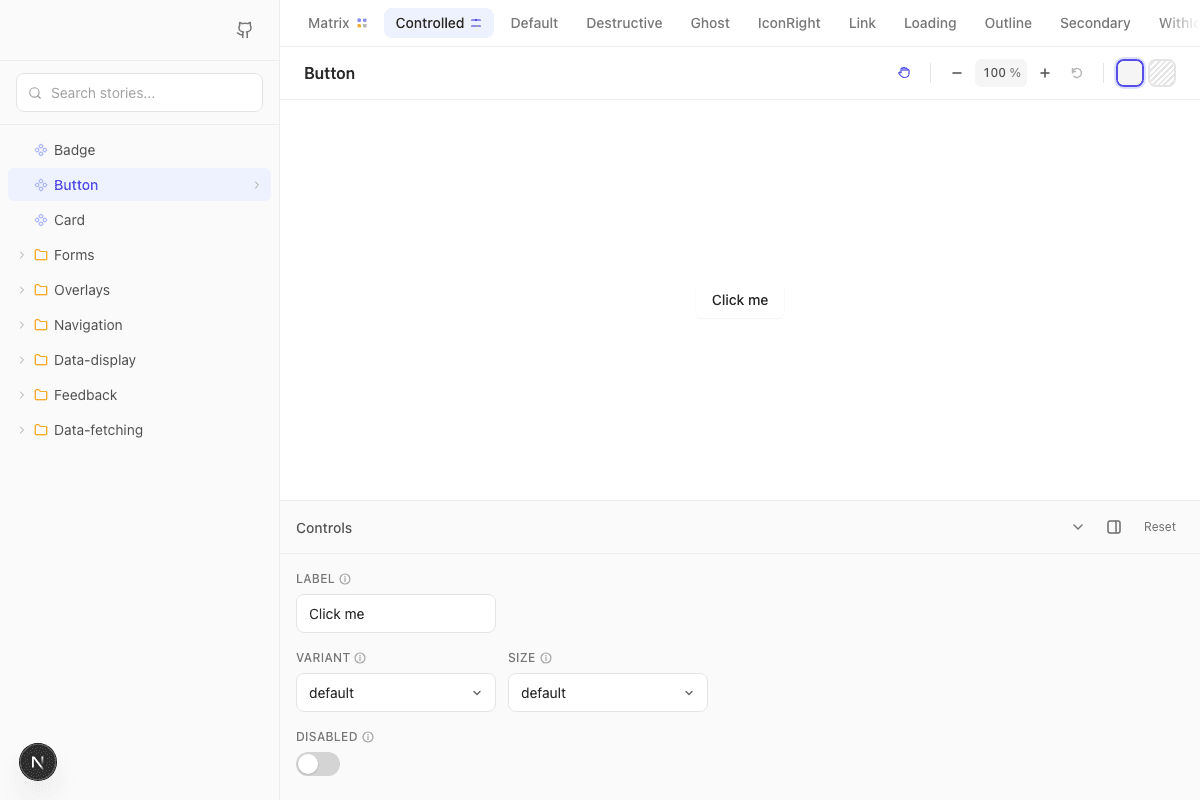
Everything you need to document components
Stop wasting time on boilerplate. Start building what makes your components shine.
Zero Dependencies
No runtime dependencies whatsoever. Just your Next.js app. No version conflicts, no security vulnerabilities from transitive deps.
Zero Config
Uses your Next.js app's existing setup. No separate build process, no Tailwind duplication, no webpack config.
Zod Controls
Auto-generate interactive controls from Zod schemas. Define your props once, get type-safe documentation.
Story Matrix
Automatically generate ALL prop combinations. Never miss a variant again - 100% coverage guaranteed.
Lazy Loading
Stories load on-demand for blazing fast startup. Only load what you're viewing.
Background Switcher
Toggle between default and striped backgrounds to spot component imperfections and transparency issues.
API Mocking
Optional MSW integration to mock API endpoints in stories. Test components without real backends.
AI-First
Generates CLAUDE.md and AGENTS.md files that teach AI assistants how to write stories. Just say "write a story for Button" and it works.
Simple, powerful API
Write stories in TypeScript with full IntelliSense. No magic strings, no decorators.
import { story } from "nextbook"
import { Button } from "@/components/ui/button"

export const Default = story({
  render: () => <Button>Click me</Button>,
})
Why Nextbook over Storybook?
Built specifically for Next.js. No compromises.
| Feature | Storybook | Nextbook |
|---|---|---|
| Runtime dependencies | 100+ packages | Zero |
| Setup | Hours of config | npx nextbook |
| Separate build process | Yes | No |
| Config files | .storybook/*, main.js... | None |
| Dev server | Separate process | Native Next.js |
| AI assistant support★ | No | Yes |
| Hosting★ | Separate deployment | Same as your app |
| Renders same as production★ | No | Yes |
| Story matrix★ | No | Yes |
Get started in seconds
One command sets up everything you need. No configuration required.
$ npx nextbookRun the command in your Next.js project
Write stories — or let AI generate them for you
Visit localhost:3000/ui to see them live
Ready to simplify your component stories?
Join developers who chose the simpler path. Start documenting your components today.